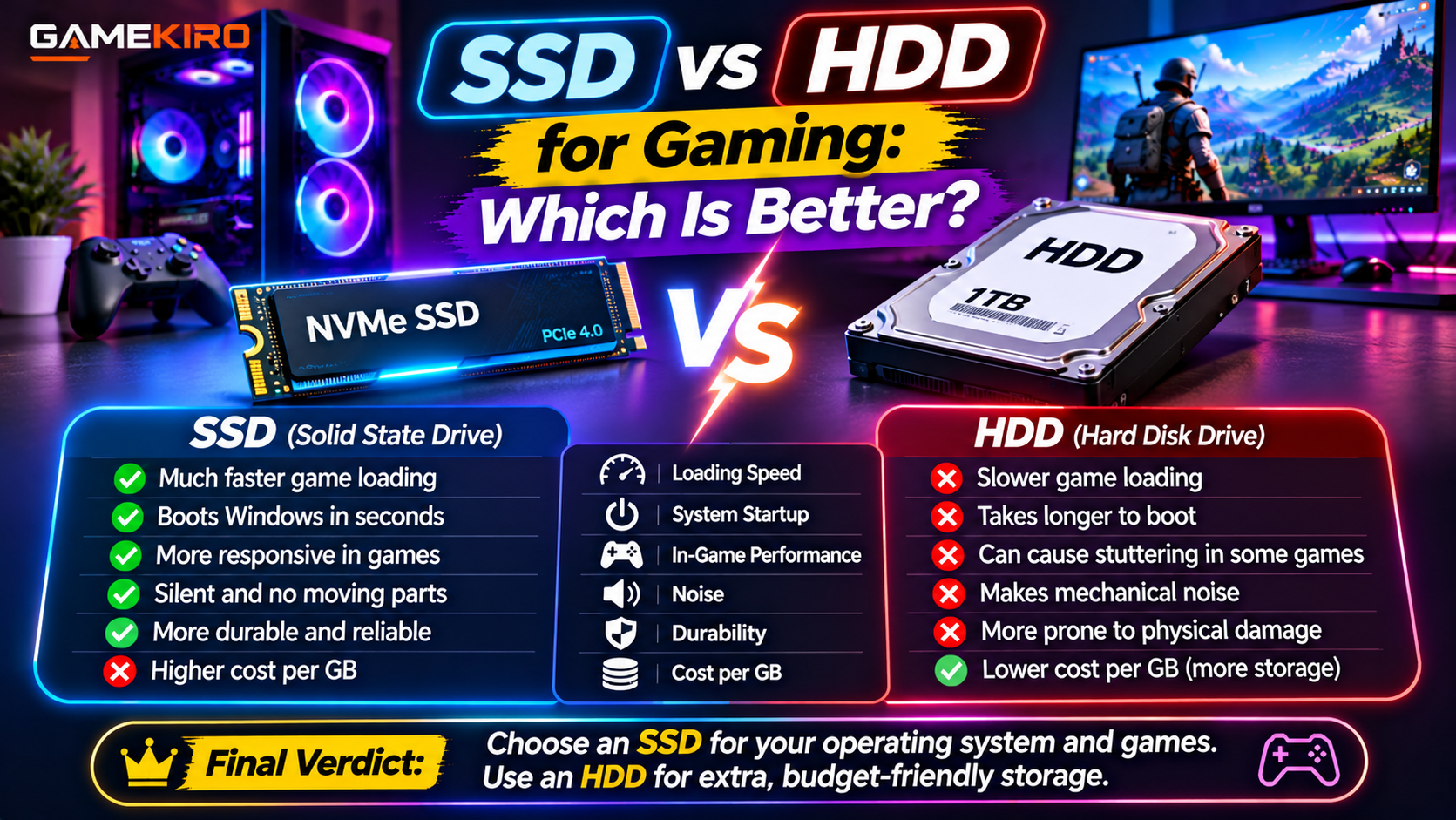
SSD vs HDD for Gaming: Which Is Better?
Choosing the right storage drive is an important part of building a gaming PC. You might have a powerful processor and graphics card, but a slow storage drive can still make your gaming experience frustrating.
When comparing SSD vs HDD for gaming, both technologies have advantages. SSDs offer faster loading and better responsiveness, while HDDs provide more storage capacity at a lower cost per gigabyte.
But which one should you choose for your gaming PC? Let's compare their performance, advantages, disadvantages, and value for money.
1. What Is an SSD?
An SSD (Solid State Drive) is a storage device that uses flash memory to store data. Unlike traditional hard drives, it has no moving mechanical parts.
SSDs are significantly faster at reading and writing data. This means your computer can start faster, games can launch more quickly, and loading screens are generally shorter.
There are two common types of SSDs for gaming:
- SATA SSD: An affordable option that offers a major improvement over traditional HDDs.
- NVMe SSD: Uses the PCIe interface and can deliver much higher transfer speeds than SATA SSDs.
For most gamers, even a basic SSD provides a noticeable improvement over an HDD.
2. What Is an HDD?
An HDD (Hard Disk Drive) stores data on spinning magnetic disks. A mechanical read/write head accesses information stored on these disks.
HDDs have been used in computers for decades. Their biggest advantage is affordability: you can usually purchase more storage capacity for less money compared with an SSD.
For example, an HDD can be useful for storing large game collections, videos, backups, and other files that you do not access frequently.
However, mechanical components make HDDs slower than SSDs, particularly when accessing many small files.
3. SSD vs HDD: Gaming Performance Comparison
The biggest difference between SSDs and HDDs is loading speed.
Feature| SSD| HDD
Game loading| Faster| Slower
Windows startup| Faster| Slower
File transfers| Faster| Slower
Game installation| Generally faster| Generally slower
Noise| Silent| Can produce noise
Moving parts| No| Yes
Cost per GB| Higher| Lower
Best use| Operating system and games| Bulk storage and backups
SSDs can significantly reduce game loading times. They can also help reduce pauses when a game needs to retrieve assets from storage.
However, an SSD does not automatically increase FPS. Frame rates depend primarily on the graphics card, processor, memory, and game optimization. Storage upgrades mainly improve loading and storage-related responsiveness.
4. Does an NVMe SSD Make Gaming Better Than a SATA SSD?
Both SATA and NVMe SSDs are excellent choices compared with HDDs.
NVMe drives offer much higher theoretical transfer speeds, but this does not mean every game will load dramatically faster.
For many games, the difference between a SATA SSD and a modern NVMe SSD is relatively small. Some games benefit more from faster storage than others.
If you are building a new gaming PC, an NVMe SSD is a sensible choice when the price difference is reasonable. However, you do not need an expensive PCIe 5.0 SSD just for gaming.
5. Can You Use Both SSD and HDD in One Gaming PC?
Absolutely! In fact, combining both drives can be a practical storage solution.
You can install Windows, frequently played games, and important applications on an SSD. Use the HDD for older games, videos, documents, backups, and other large files.
This approach gives you fast everyday performance while providing additional storage capacity at a lower cost.
6. Which Storage Drive Should Beginners Choose?
If you are building your first gaming PC, prioritize an SSD.
A 1TB NVMe SSD is a good starting point for many gamers. If you have a large game collection, you can add a secondary HDD or another SSD later.
Avoid purchasing an HDD as your primary gaming drive if you can afford an SSD. Some modern games also explicitly require SSD storage, so check their system requirements before installation.
Conclusion
So, SSD vs HDD for gaming: which is better?
SSD is the better choice for modern gaming. It offers faster loading, better responsiveness, silent operation, and a smoother overall PC experience.
HDDs are still useful for affordable bulk storage, but they are no longer the ideal primary drive for a new gaming PC.
For the best balance, start with an SSD for your operating system and favorite games. Add an HDD later if you need additional storage space.